

1
Go to the Dashboard
Click Dashboard in the main navigation menu. This will take you to the main overview screen where you can view key widgets and system activity, including the Daily Health Monitor.
Learn how to use the Daily Health Monitor widget on the ServiceMate dashboard. This guide explains what the key metrics mean, how they help you track engineer capacity for the day, and how to enable the widget so it appears on your dashboard.
The Daily Health Monitor provides a quick overview of your engineer capacity for the current day.
It helps you understand how busy your team is and whether you still have availability to book more jobs.
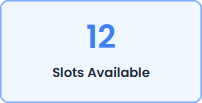
The total number of engineer job slots configured for the day based on the engineers working and their maximum jobs per day.
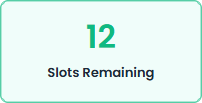
How many job slots are still available to be booked after scheduled visits have been accounted for.

The number of booked visits that have not yet been completed for the day.
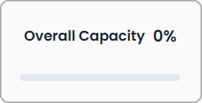
Shows how much of your total capacity has already been used based on booked visits.
The widget helps you quickly see:
Click Dashboard in the main navigation menu. This will take you to the main overview screen where you can view key widgets and system activity, including the Daily Health Monitor.

Click Add Widget on the dashboard. This will open a dropdown list showing all available dashboard widgets that can be added to your view.

From the widget list, click Daily Health Monitor. The widget will then be added to your dashboard, allowing you to monitor engineer capacity and job availability for the day.

You can drag and resize the widget on the dashboard to position it where you prefer. This allows you to organise your dashboard layout and ensure the Daily Health Monitor is easily visible when managing bookings.

Interested in simplifying your service business with ServiceMate? Request access now, and one of our team members will review your request.
That’s great and all, and we commend you for pushing through with it. Unfortunately we no longer offer support for IE; it hasn’t received a major update since 2015 and Microsoft are dropping support for it later in the year.
If you’re using Windows 10 and want to stick with a built in browser, please consider switching to Edge. Or, if you really want to enjoy the internet properly we strongly recommend downloading Google Chrome here.