

How To Cancel Your ServiceMate Subscription
Follow these instructions to suspend your servicemate subscription through the account settings portal. This guide simplifies the cancellation process, helping you submit your request efficiently.
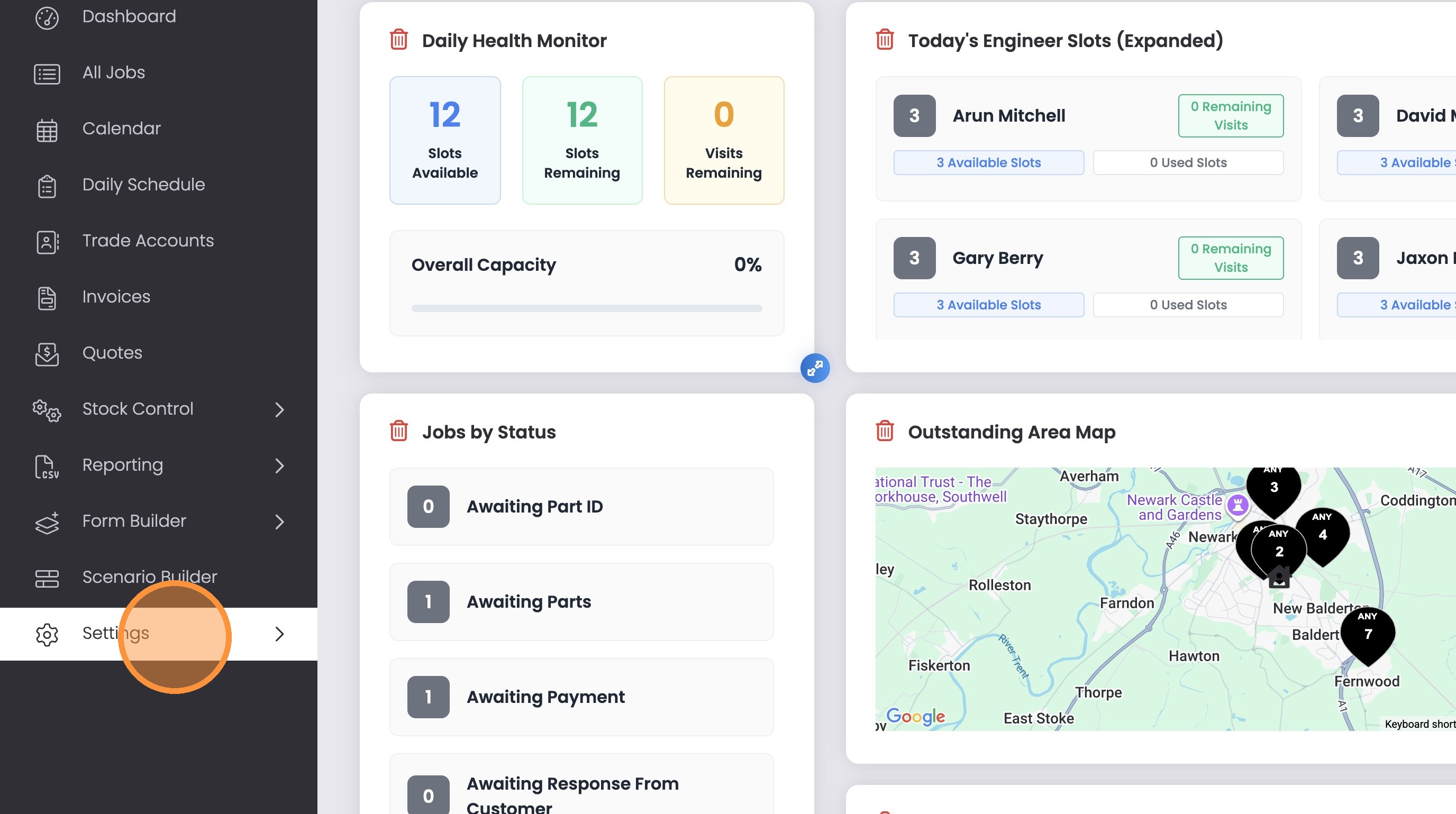
1. Click “Settings”
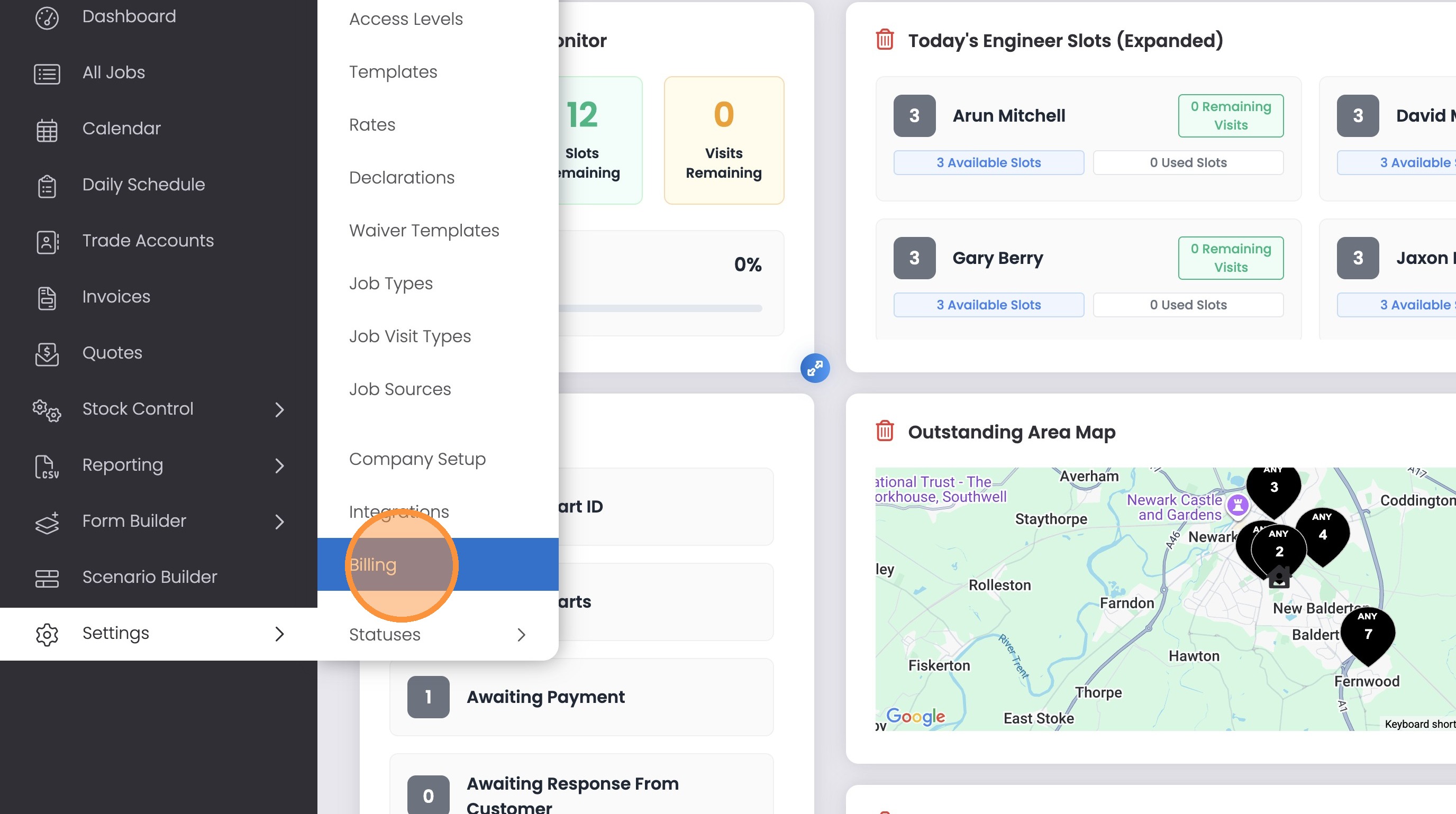
2. Click “Billing”
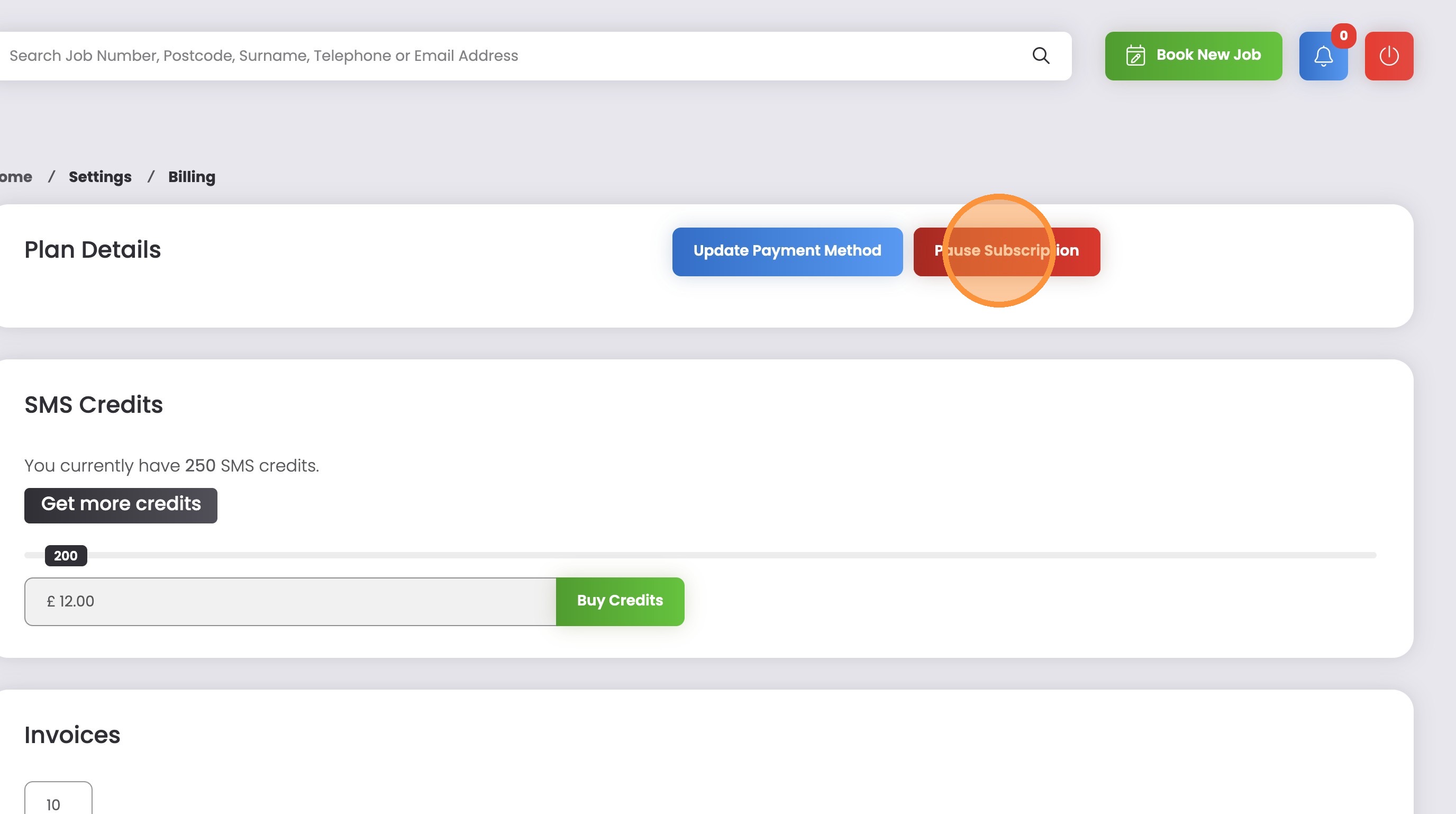
3. Click “Pause Subscription”
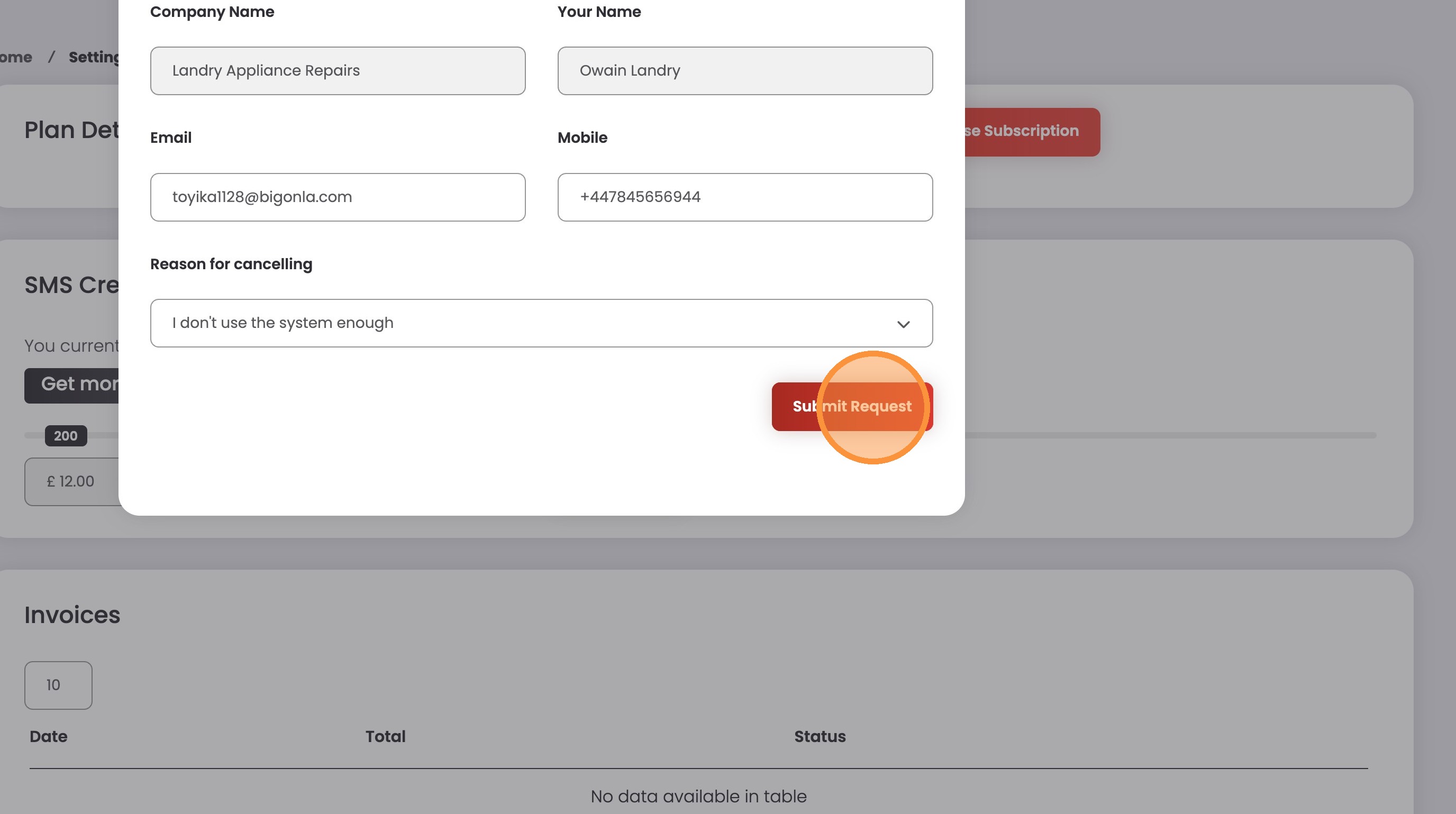
4. Pick a reason for cancelling your subscription
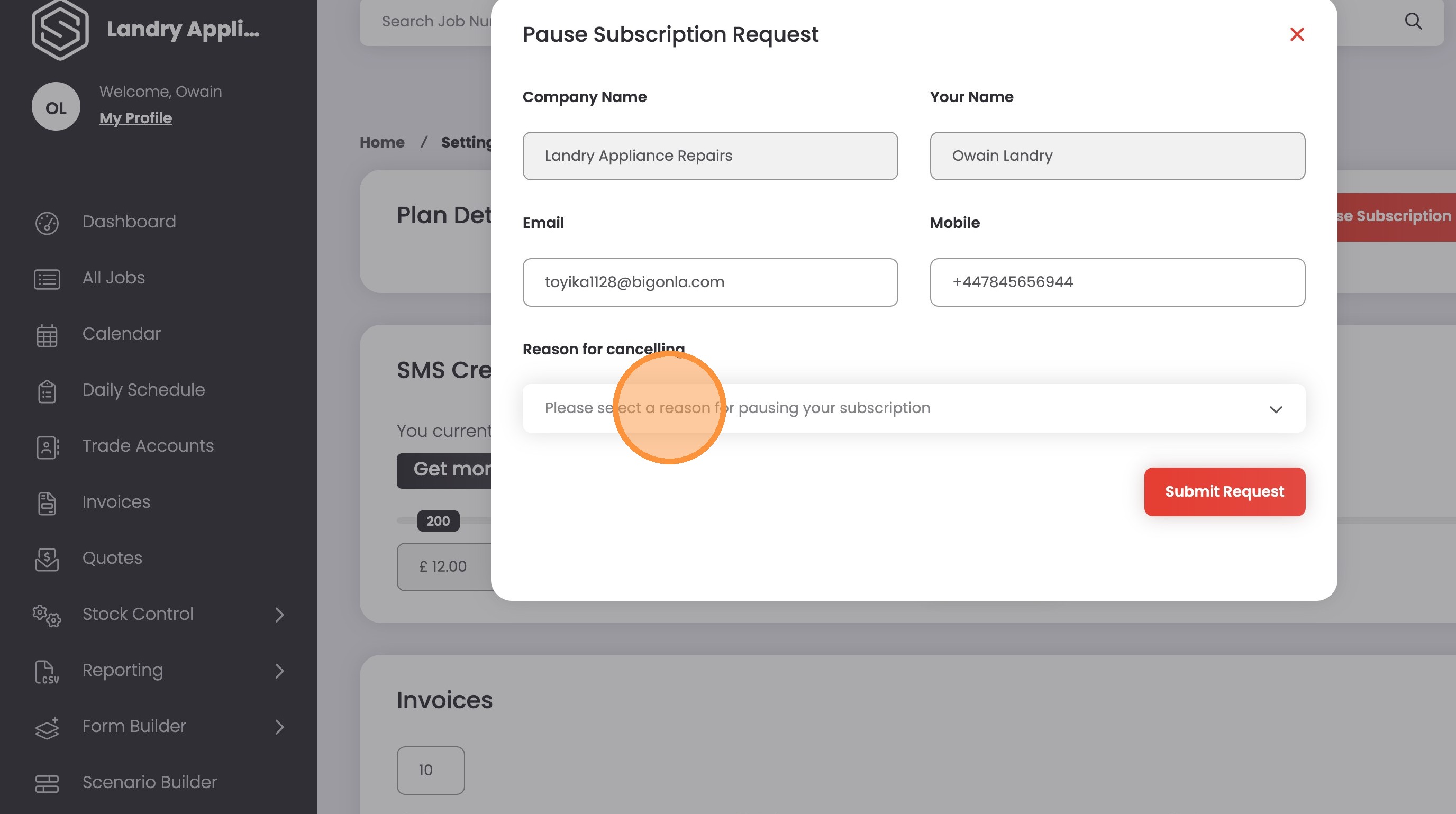
5. Click “Submit Request”
Tip: The ServiceMate team typically review requests within 1-3 working days. If there are any issues with your cancellation, we’ll be in touch ASAP.